


Your first Fashion Try-On
Choose a model, add clothing and review your first look.
Before you start
- A Nocta model, a saved model or a photo you have permission to edit and use.
- One clear main photo for each clothing item you want to add.
Choose your model
Open Fashion Try-On and choose the person who will wear the clothes.
- Use a Nocta model, a saved model or your own permitted photo.
- Choose a pose that clearly shows the area you want to dress.
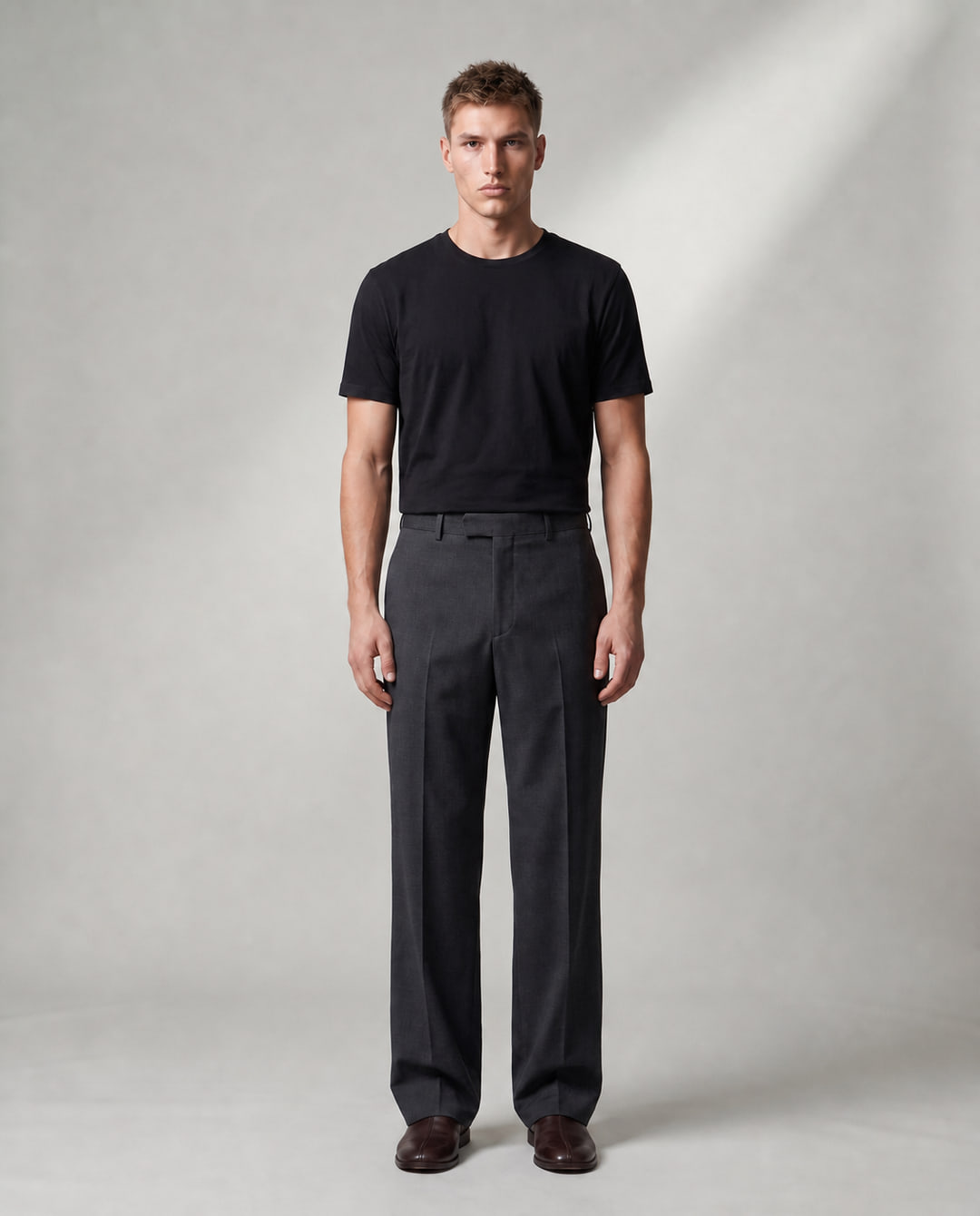
Example source: the model before adding the jacket and trousers. Add your clothing
Start with one piece, or build a full outfit.
- Add a clear main photo for each piece, or choose from the Catalogue available to your plan.
- Keep sleeves, hems and fastenings visible. Avoid blur or objects covering the clothes.
- Use Add for another piece. You can add up to four clothing references.
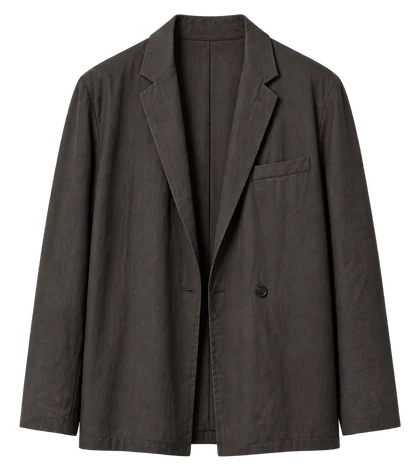 Jacket
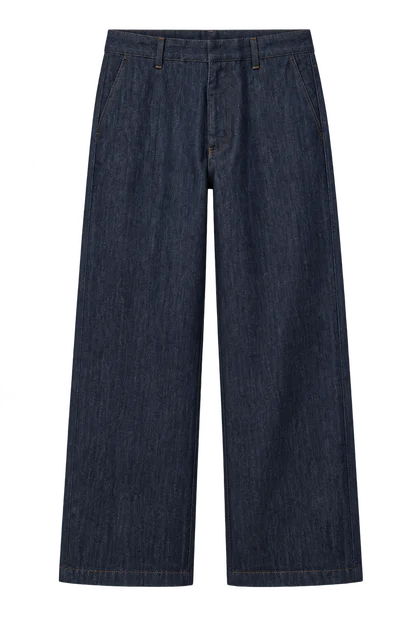 Trousers
Example references: one complete jacket photo and one trousers photo. Review and generate
Check your choices in Preview before you spend credits.
- Choose the available Format, Images and Resolution settings. Check the total credit cost in Preview.
- Generate, then inspect the person, fit, colour and clothing details in Library.
- If an important detail is wrong, improve your source before another paid generation.
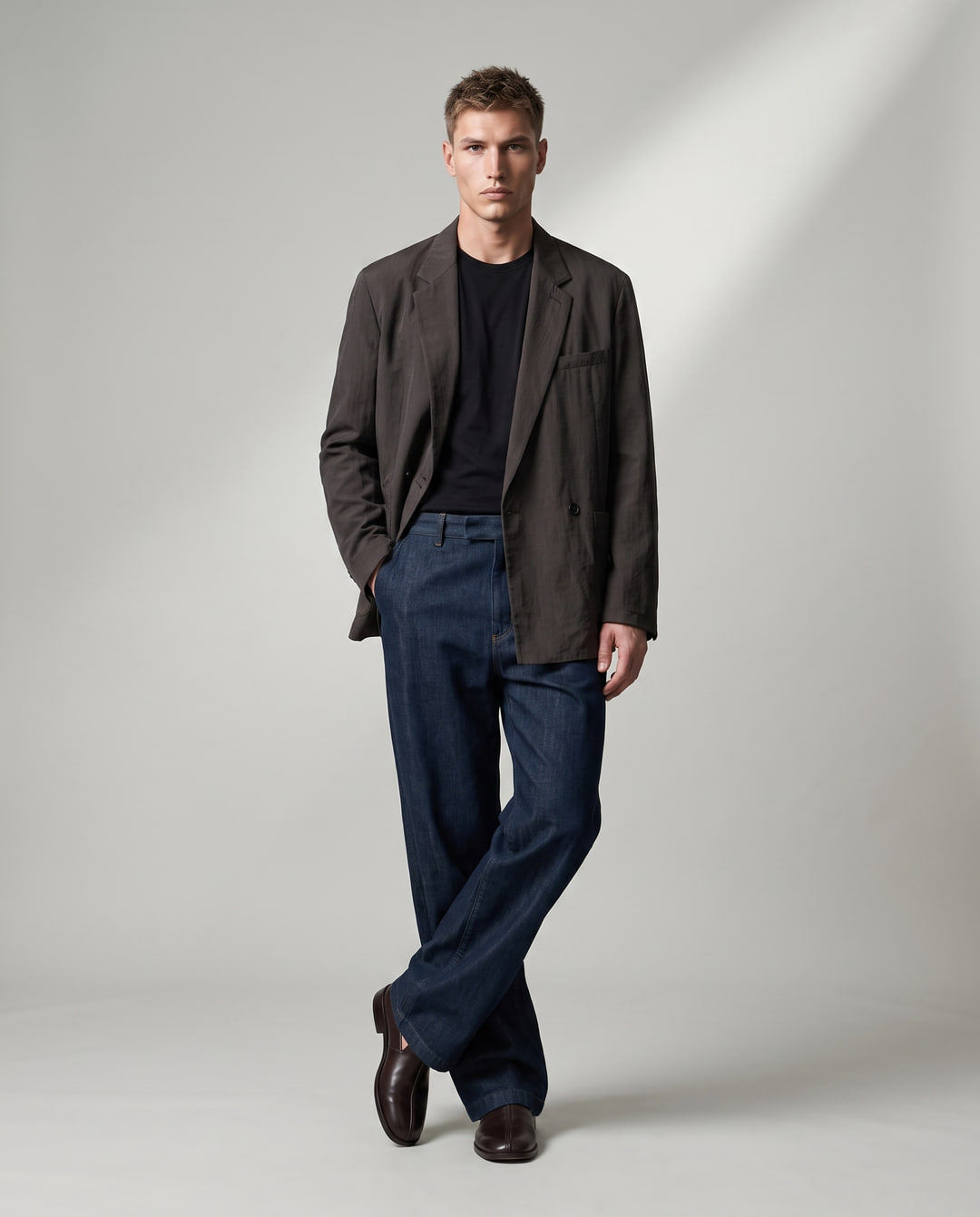
Illustrative result: the same model wearing the jacket and trousers shown above. Add one main photo for each piece. Use Details for optional close-ups or another side of a piece only when that workflow supports them. Details are grouped on labelled guidance boards sent with your main photos. Exact details are not guaranteed. Try-On uses one main image per piece to create a visual proposal, not proof of physical fit.